
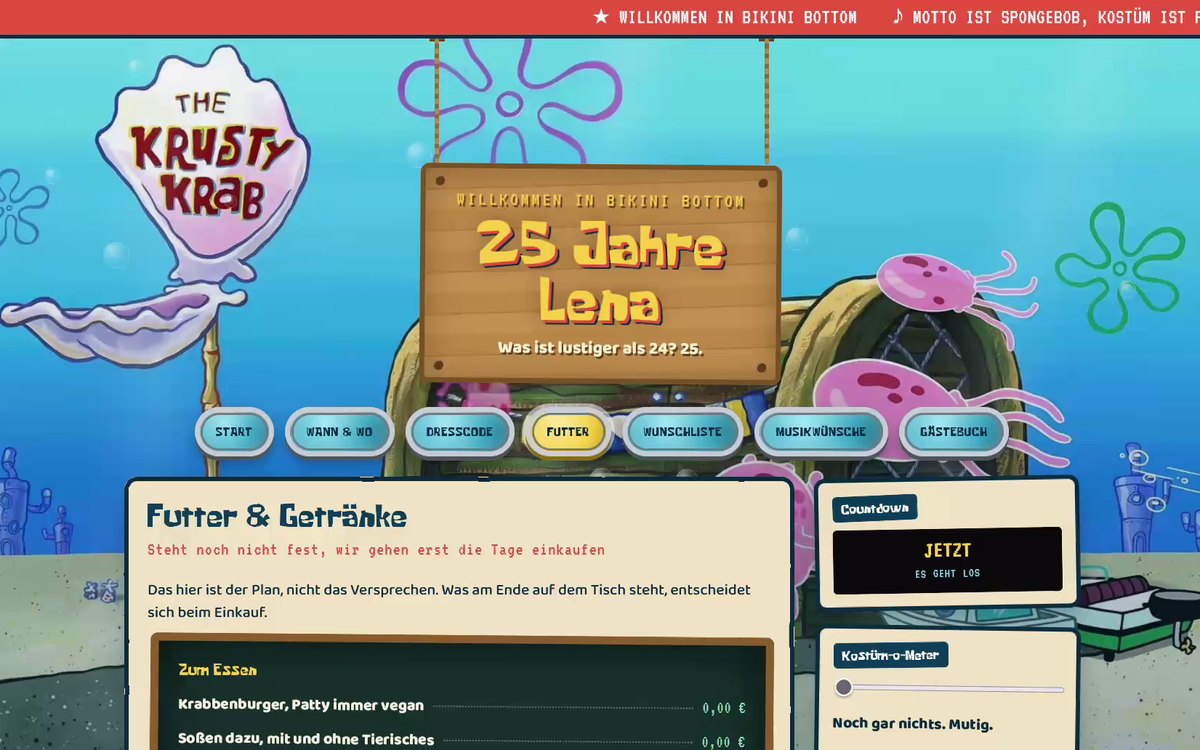
Website · themed party
An invitation you can click through
For a big birthday in my circle of friends I didn't want to send a card. I wanted a place that holds everything: when, where, what to wear, what to bring, what's on. Out came a small site with seven sections, a countdown, and a checklist you really have to tick off before you get the certificate.
The full walkthrough
Four minutes through every section, one cut.
The video only loads when you press play. Names and address in the recording are replaced. The red boxes are not a bug from back then: I shut down the database behind the guest book and wishlist after the party, so nothing answers when you submit anymore.
The idea
At every celebration the same questions get lost in the group chat. Do I have to dress up? How do I get there? What should I give? The answers sit somewhere between two hundred messages.
So I moved them to a place you send once and that then works on its own. One link instead of twenty explanations.
What's inside
- Countdown to the date
- Address with map link
- Dress code with photo gallery
- Food and drinks as a menu
- Wishlist everyone can add to
- Song requests, no account, no app
- Guest book
- Checklist with a certificate at the end
What it's built with
Front-end: HTML, CSS and JavaScript by hand, no page builder. Back-end: Supabase for the entries that several people should see at the same time: wishlist, song requests, guest book.
Built privately, no commercial intent. The version shown is anonymised, with a fictional name and dummy address.
The tone makes the invitation
Why the copy mattered as much as the layout.
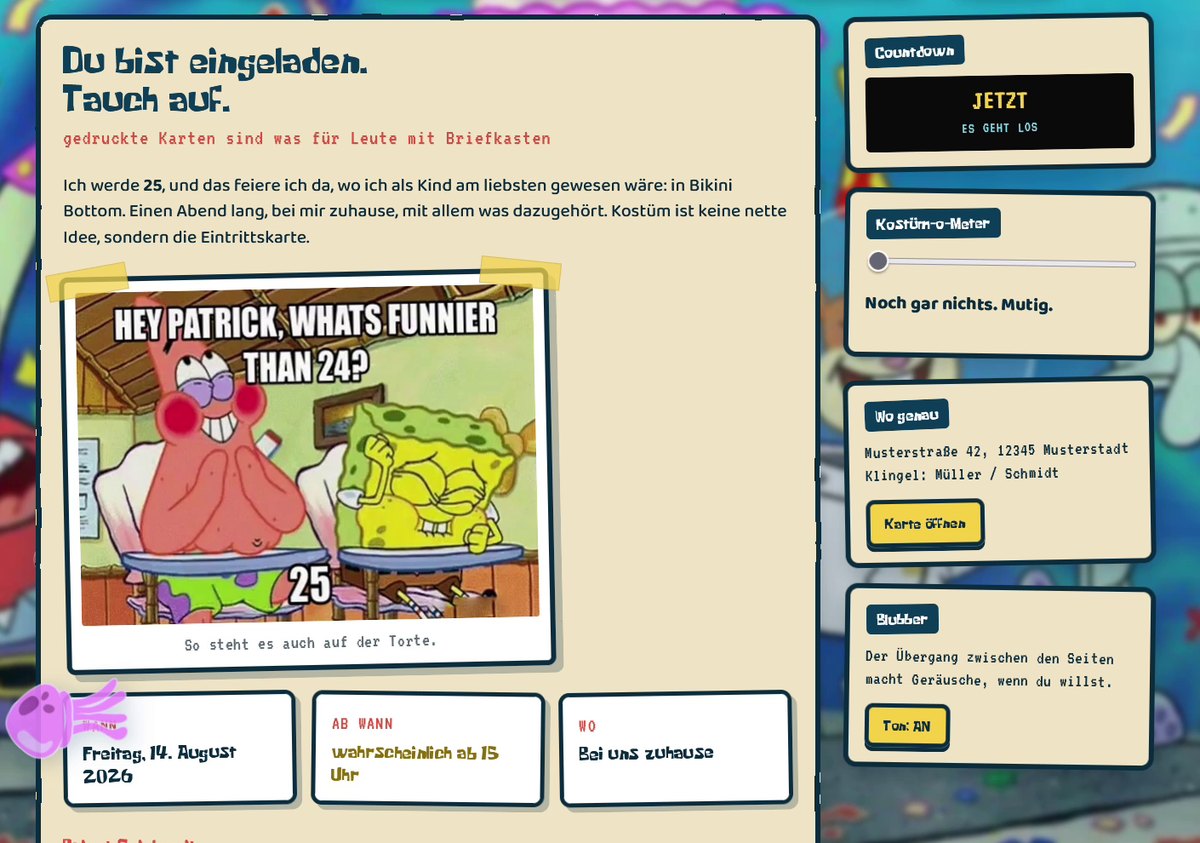
An invitation is allowed to sound like the person sending it. So this one doesn't say "we look forward to your company", it says what she would have written in the chat.
Every heading has a small subline that steps out of character. The menu carries a note that this is the plan and not a promise. That costs nothing and turns an info page into something you actually read to the end.
The date sits next to it in three boxes instead of a flowing sentence, because that's exactly the question you look for on the second open.
Show, don't tell
The dress code was the part most people were nervous about.
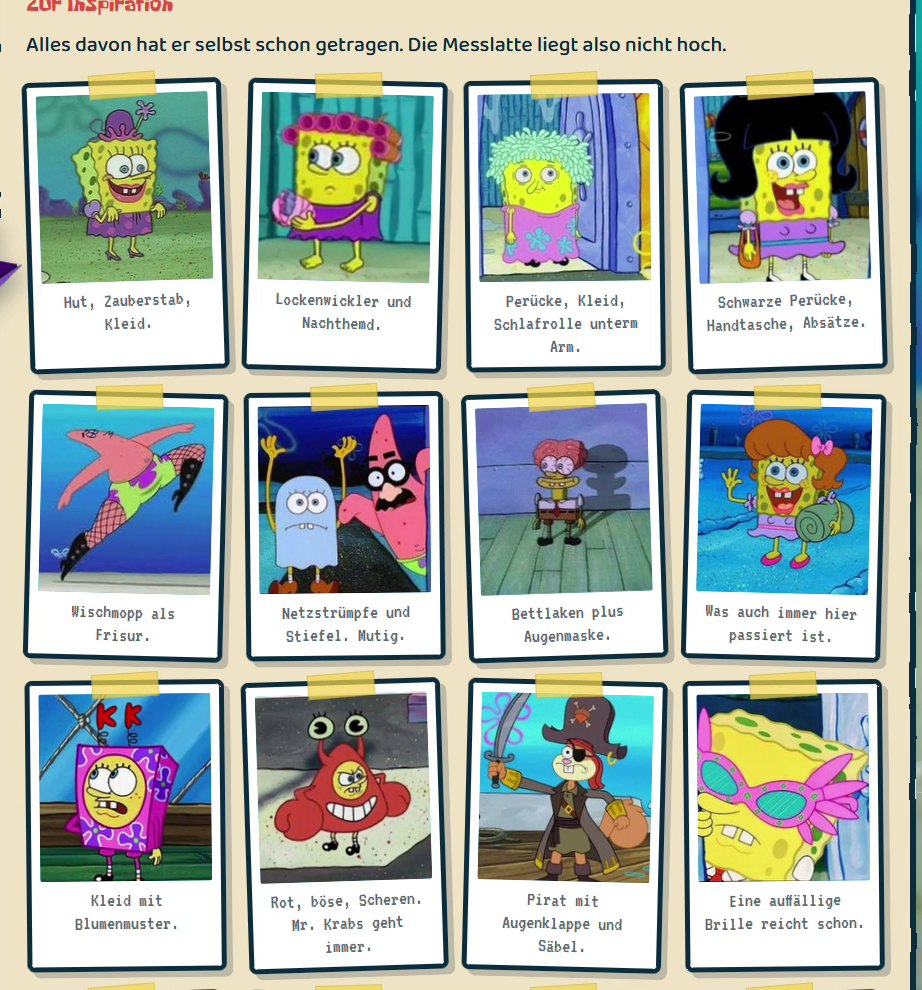
"Costume required" scares people off as long as nobody knows what that means. So I picked twelve pictures and gave each a caption that shows how little it takes: a wig, striking glasses, a bedsheet.
The pictures sit in a grid that collapses to one column on a phone. Taped up like photos on a wall, because that fits the occasion better than a clean tile row.
In the end everyone showed up in costume. That's the metric I have for this project.
A checklist you take seriously
The part I spent the longest on.
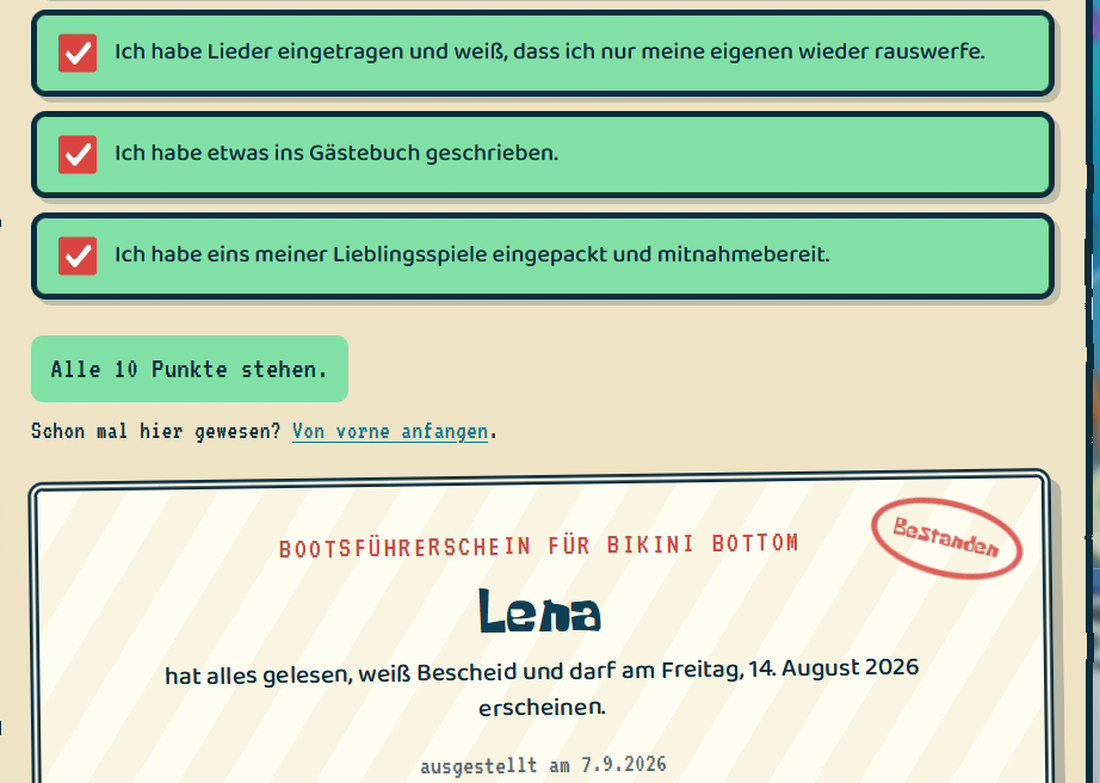
Right at the bottom sits a list of ten items. Each item only unlocks when you actually looked at the matching section of the page. Skip around, get stuck.
When all ten are ticked, the page issues a certificate with the name you entered up top. No prize, no reward, just the small moment when something is done.
That was the trick to keep the page from being only skimmed. Anyone who wanted the certificate had read the dress code. And that was the point.
Got something coming up?
Birthday, wedding, graduation, or just an evening that deserves its own page.